[Click on image to view
screenshot]
Key Features

 |
Fully
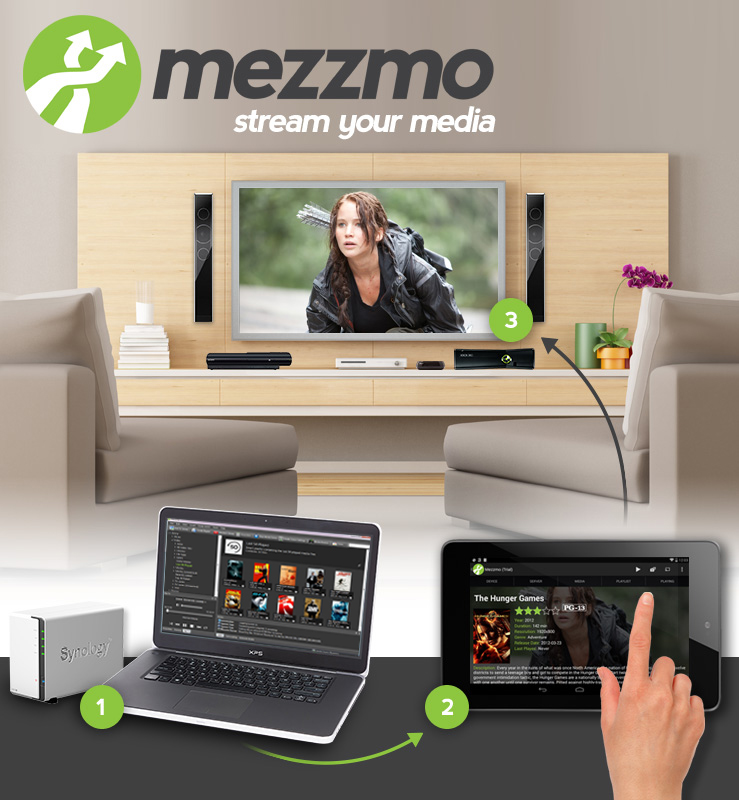
DLNA 1.5 and
UPnP AV compliant
media server:
Mezzmo's DLNA
media server
lets you stream
music, TV shows,
movies, photos
and subtitles
from your PC
to your TV,
home theater,
games console,
and other computers
in your home. |
 |
|

 |
Works with DLNA-enabled devices:Mezzmo ships
with device support for popular DLNA-enabled devices from Sony, Panasonic,
Samsung, Toshiba, LG, Sharp, D-Link, WD, Netgear, Seagate, Microsoft, Logitech,
Pinnacle, Apple and many more. If you have a DLNA-enabled TV, Blu-ray player, games
console, home theater system, mobile phone, tablet or media player, then you should
be up and running with Mezzmo in minutes. |
 |
|

 |
Powerful format support and
transcoding:
All popular video, audio and image file formats are supported. No
special codec packs are necessary. No extra downloads are necessary. On-the-fly transcoding
means your media files will be converted to video, audio or image formats
that your DLNA-enabled devices can play. Pre-transcoding lets you transcode all your files
before you stream them - fixing any stuttering or FF/REW/pause issues that can associated with
transcoding files on-the-fly. |
 |
|
|

[Click on image to
view Mezzmo in action] |

 |
Multiple device support: Unlike other DLNA servers, when you purchase your copy of Mezzmo, you can stream to as many
devices as you have in your home. No extra charges are necessary. Device profiles for all popular DLNA devices are included so no
configuration is required. Stream different videos to different devices simultaneously in your home! |
 |
|

 |
Extensive
library support:
Mezzmo automatically
finds all your music,
movies and photos
on your computer and
organizes them into
an iTunes-like library.
All details are stored
including album artwork,
song lyrics, title,
genre, artist, ratings
and more. Supports
large collections
(500,000 or more files). |
 |
|

 |
Parental control:
Setup your Mezzmo library so that your children are restricted from watching certain videos, music or photos. Set access rights to devices,
playlists, folders and media files. |
 |
|

 |
Works with
the latest gadgets and mobile devices:
Stream to iPad, iPhone or Android devices. Import music, video and photos from your iPad, iPhone, iPod, iTunes,
Windows Media Player and WinAmp. |
 |
|

 |
Organize
with freedom:
Create your own playlists
and folders in Mezzmo
to organize all your
music, movies and
photos the way you
want to. |
 |
|

 |
Network
Media Single Source
(NMSS): Exclusive
to Mezzmo! Link all
your DLNA media servers
in your home to Mezzmo
for an easy-to-use,
one server solution. |
 |
|

 |
Rip your
Audio CDs:
Rip your Audio CDs
as MP3 files and stream
them to DLNA-enabled
devices in your home. |
 |
|

 |
Burn your
favorite discs:
Burn Audio CDs, MP3
CDs, Data CDs and
Data DVDs. |
 |
|

 |
Fast and
easy-to-use:
Optimized for modern
Dual Core, Quad Core
or higher computers
using multi-threaded
technology. Mezzmo
is fast with a slick
user interface. You
will be streaming
music, movies and
photos in your home
within minutes of
installing! |
 |
|

 |
Prompt customer support:
Got a problem? Let us teach you how to best use Mezzmo, or fix a problem that you may have found. Email us directly or visit our user
forum for help from other Mezzmo users. |
Supported Devices and Formats
| Mezzmo is a fully
DLNA 1.5 and UPnP
AV compliant media
server. It has been
tested with a wide
range of DLNA-enabled
devices, including
TVs, games consoles,
Blu-ray players, digital
media players, network
receivers, media receivers,
tablets, NAS drives
and software programs.
We continually test
Mezzmo with the latest
DLNA-enabled devices.
If your device is
DLNA certified, then
it should work with
Mezzmo. |
|
|
For the list of devices
tested, go to our Device
Support page.
For the list of media formats
supported, go to our Format
Support page.
If you have recently purchased
a DLNA-enabled device and
wish to know if Mezzmo works
with it, we recommend you
simply install the 15-day
trial version onto your
computer and start streaming
media from Mezzmo to your
device. If you have any
problems, let us know and
we will help get you up
and running.
System Requirements

 |
Windows 7 (32-bit
and 64-bit), Windows
Vista (32-bit
and 64-bit), Windows
XP (32-bit and
64-bit), Windows
Server 2008, Windows Server 2008 R2, Windows
Server 2003, Windows
Home Server (WHS)
|

 |
Minimum of 512MB
RAM |

 |
Minimum of 50MB
free hard disk
space |

 |
Minimum of 1024x600,
24 bit resolution
display |

 |
Home network connection: Wired Ethernet (LAN) cable, Wireless, Homeplug Powerline or MOCA. For
streaming HD Video, either 1GB Ethernet (LAN) cable, 100MB Ethernet (LAN) cable or Wireless N (with
full signal strength) is recommended
|

 |
Internet connection
(recommended)
|

 |
Transcoding: Minimum 2.4GHz CPU and 1GB RAM
is required. For 720p or higher resolution video transcoding, a Quad Core
CPU with 2GB RAM or higher is recommended
|

 |
Languages: English, Spanish, French, German, Italian, Greek, Japanese,
Korean, Russian, Polish, Brazilian Portuguese, Vietnamese, Arabic
|
|


|
|